Skoda
Human Machine Interaction
At-A-Glance
Mobility and how we interact with our cars is a rapidly changing segment. Cars are slowly turning into computers that do much more than just get us from point A to point B. With this project, I sought to develop out what could be an innovative and unique way of interacting with your vehicle outside of the navigation screen and the cockpit, while catering to the needs connected driver by utilising Machine learning and Artificial Intelligence.
| Solo
| My Role
| Timeline
| Tools
Starting thoughts…
Using AI and Machine Learning to Improve the In-car User Experience
While navigation screens have become a standard feature in cars, they often limit the driver's interaction with their vehicle. There is a growing demand for more personalized, intuitive, and engaging experiences that go beyond basic navigation and vehicle information.
Solution
Redesigning Skoda's Virtual Cockpit
Driver Profiles
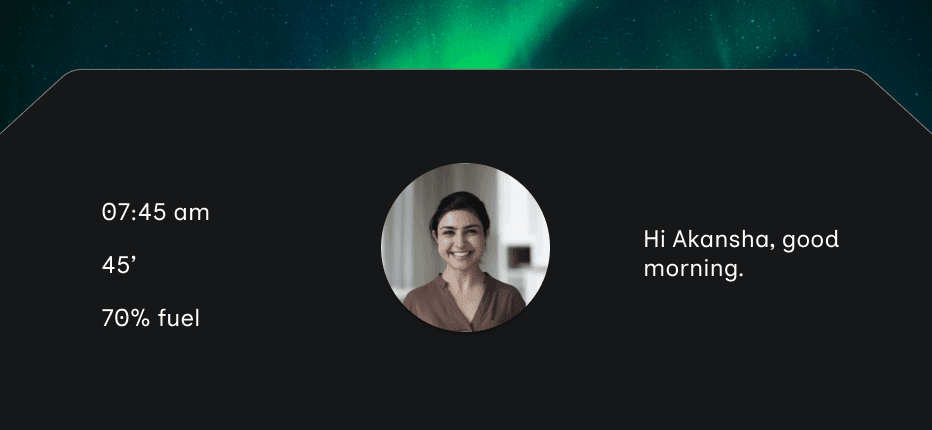
Based off of various attributes assigned to different drivers, car will automatically adjust its settings according to the driver’s preset preferences, and learn important preference over time and adapt them to users need. The digital cockpit AI also greets the users so that they feel connected to the car.
Smart Locations
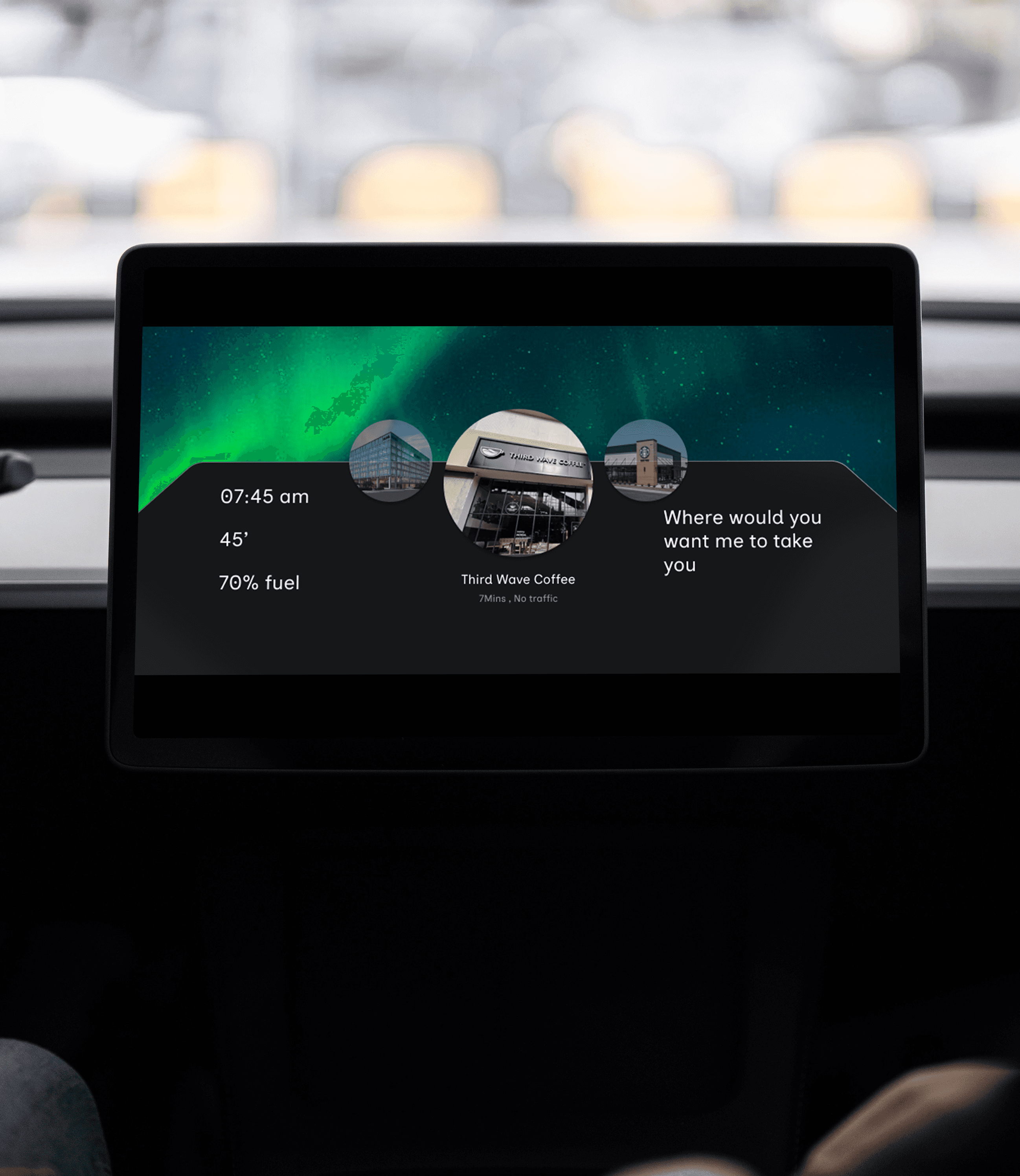
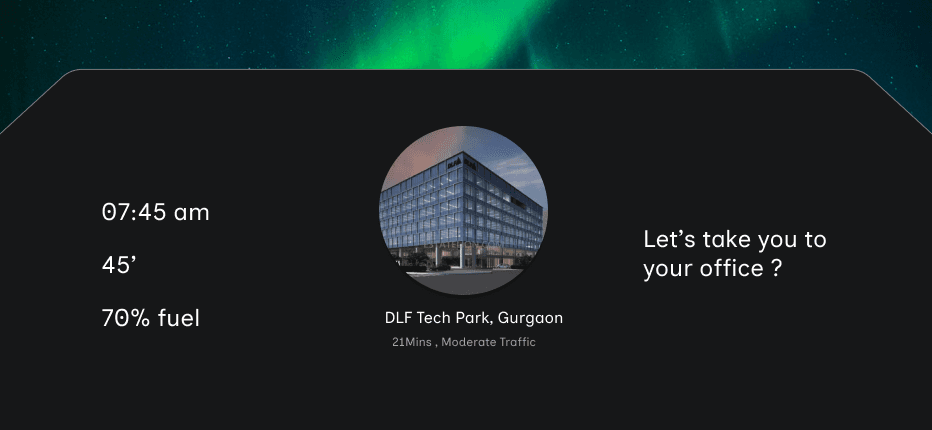
Through machine learning, your Skoda will learn and observe your day to day driving habits and recommend navigation based on them.
Smart Suggestions
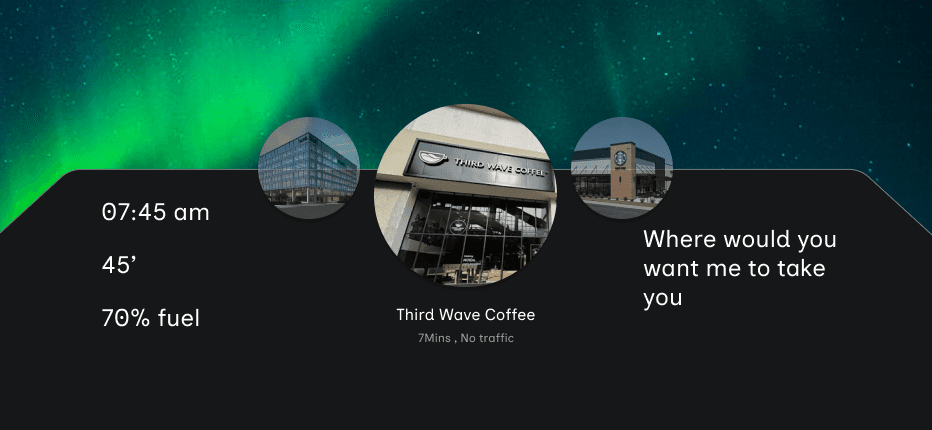
On the basis of drivers location, time of day and Driver habits, Skoda recommends suggestions on the places to go.
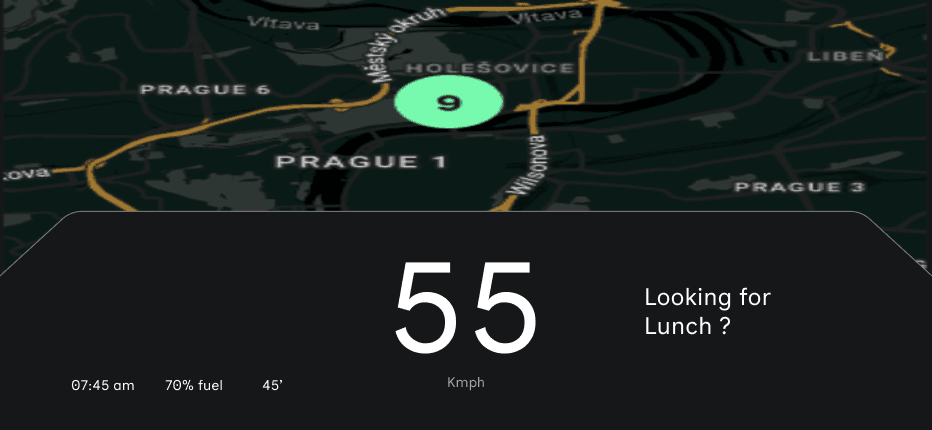
Navigation map
Navigation map shows the present route.
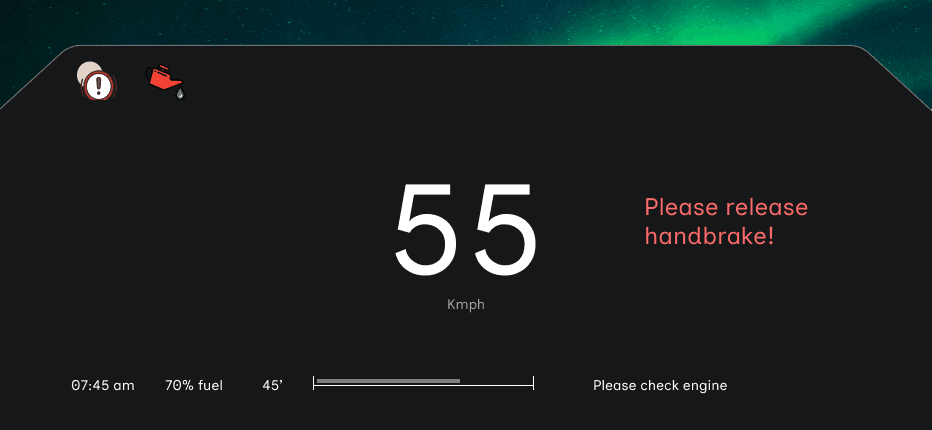
Non Intrusive emergency notifications
Skoda understands what emergency info needs Immediate response, which ones need intervention later, and which ones are suggestive cautions. These are classified into icons and messages.
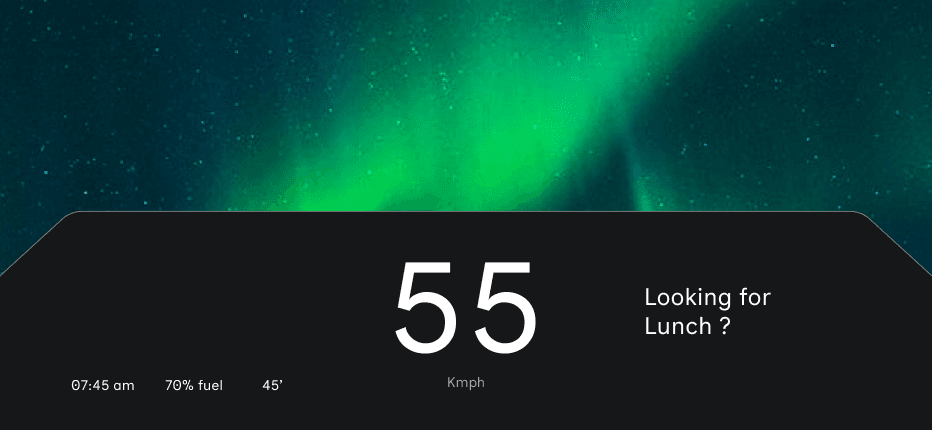
Standard Interface
Standard interface is minimal, clean and at the same time offer AI assistance and Machine learning suggestion on the same display non-obtrusively. The same AI delivery method is used to control media and phone calls.
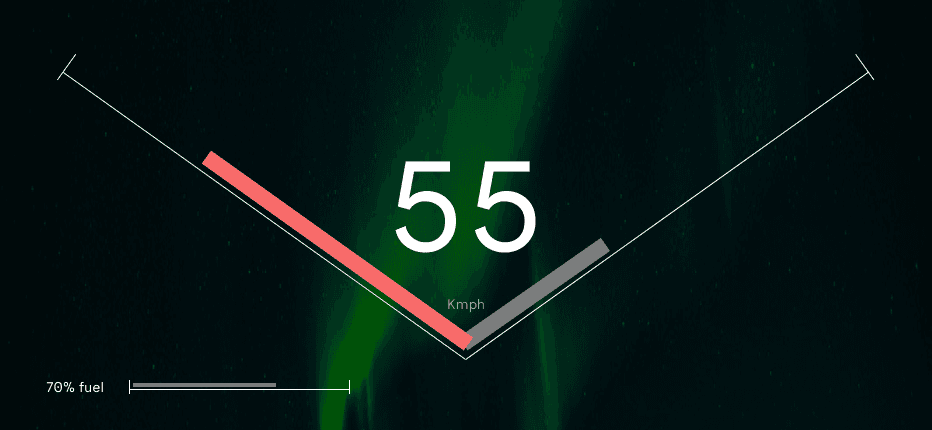
Sports Mode
As soon as the gas is pressed fully, the screen turns to sports mode, and the AI and machine learning features are disabled as well as other Info like time and weather and is replaced by sports mode necessary features like speedo and Odo meters.
My process
For this project I went straight to understanding how the current interface works in-order to design for the next generation. One of my friend owns Skoda and also I went to the dealership closest to me, played around with the buttons and cockpit experience in that, and from there developed what the current state diagram looks like
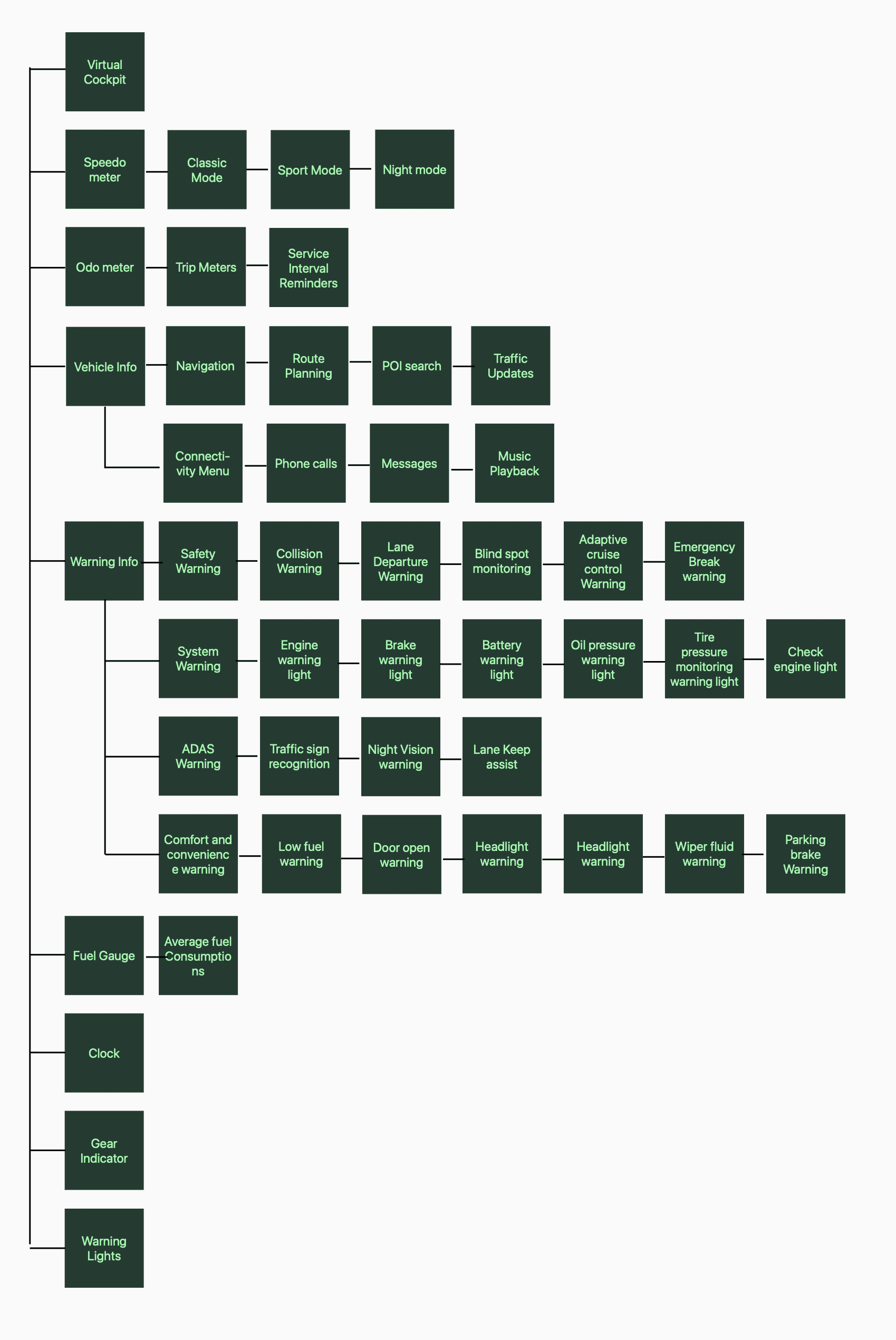
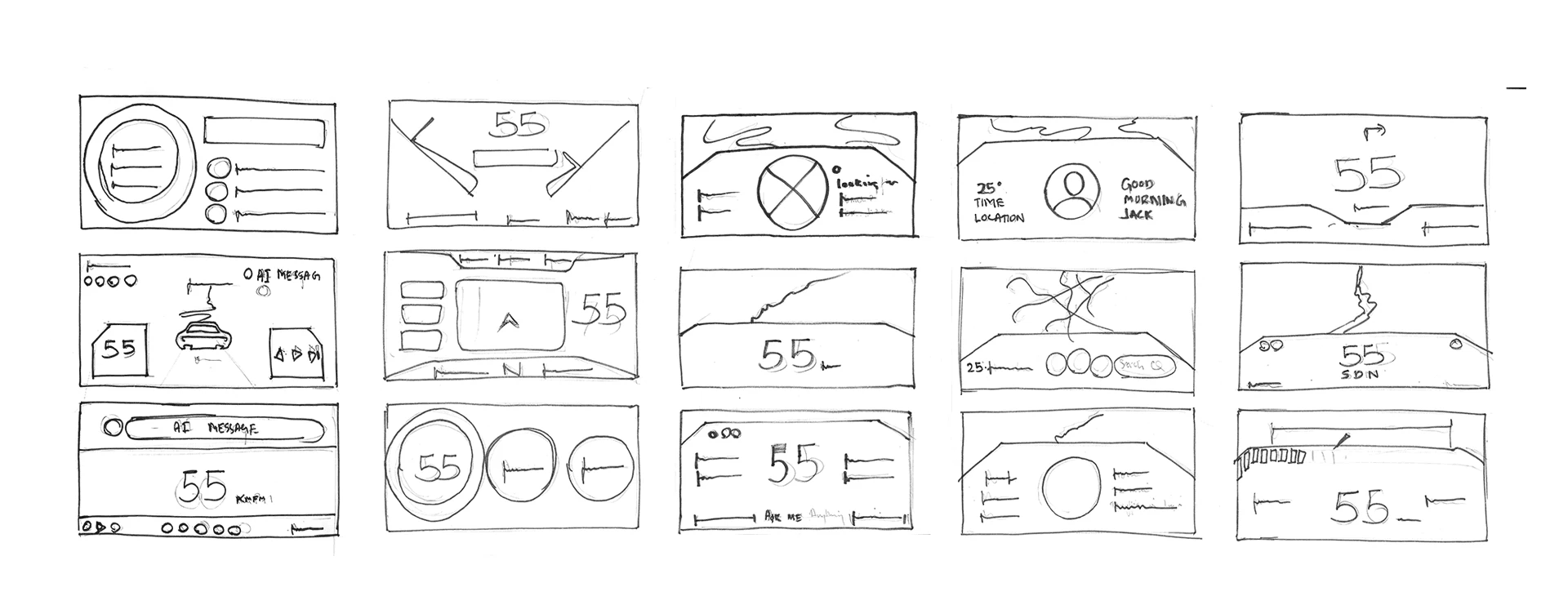
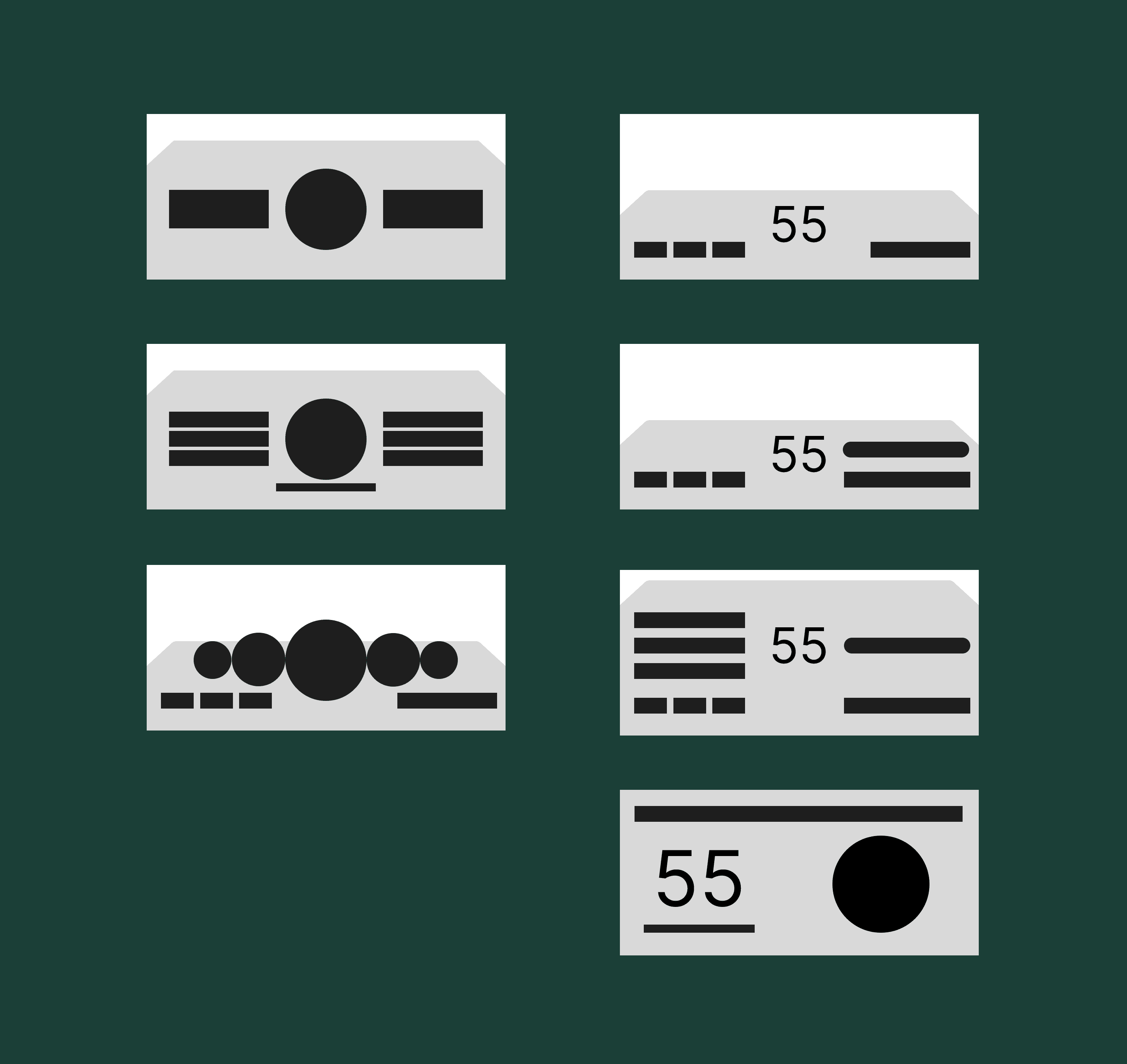
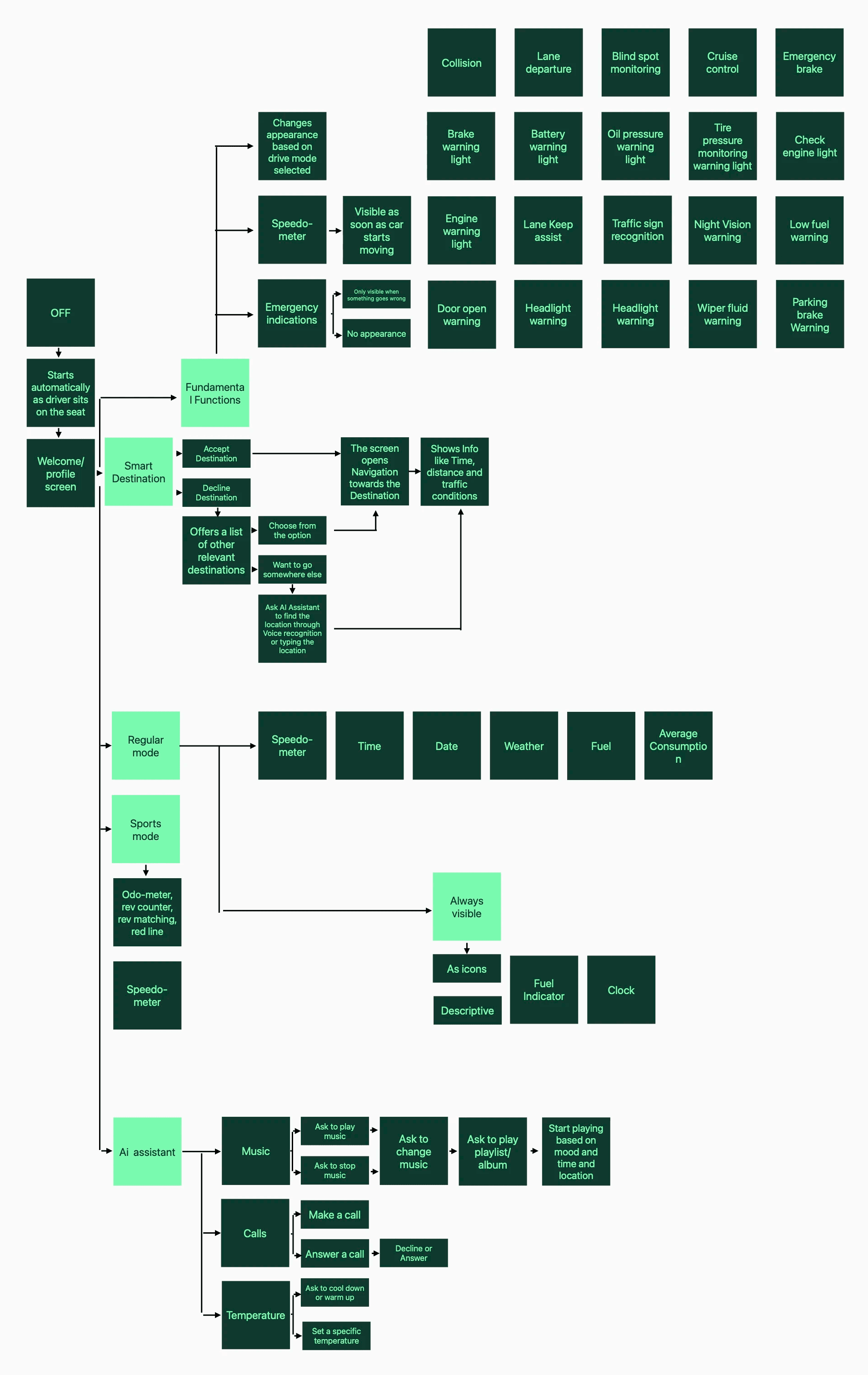
With full control over this project, and a push from my teacher to be selfish with it, I decided to jump straight into the visual design. I wanted to fine tune how I approached UI layout, information architecture and aesthetics, so I used this cockpit redesign re-design as a way to enhance those skills. With that I started wire-framing.
Design System
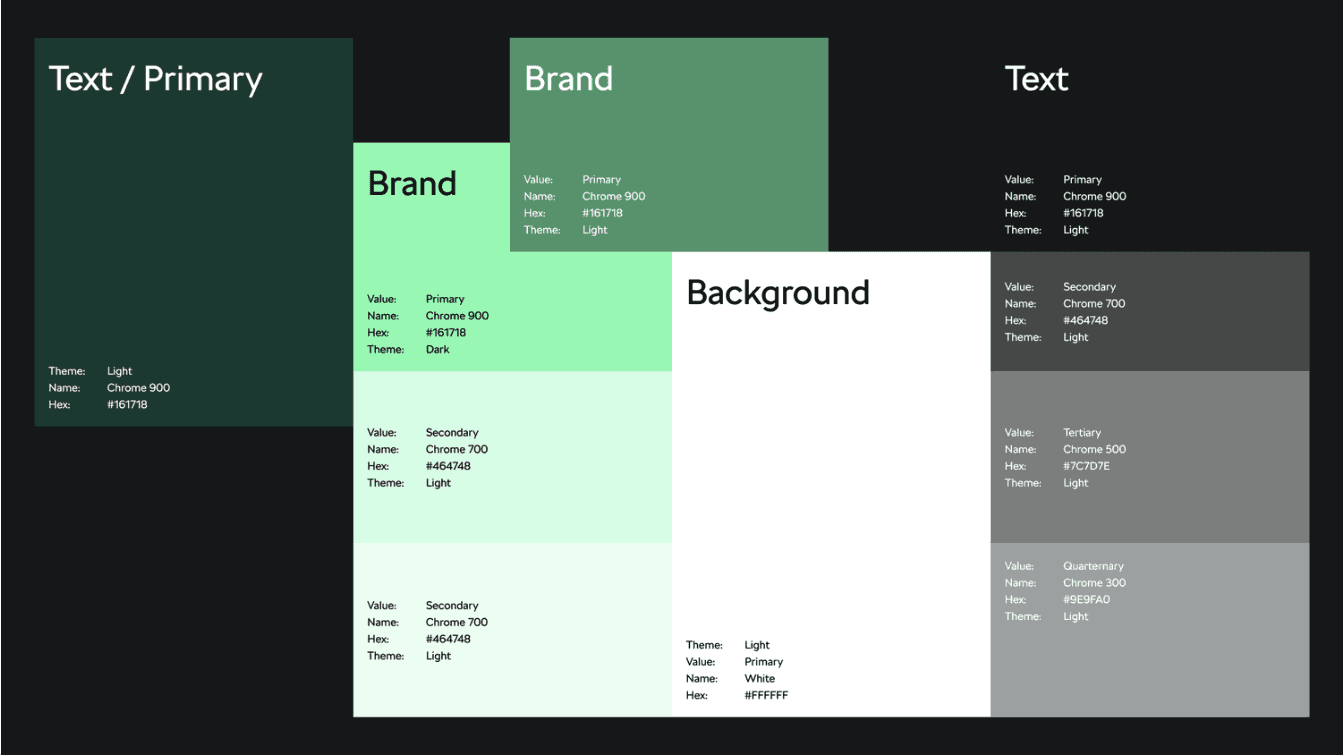
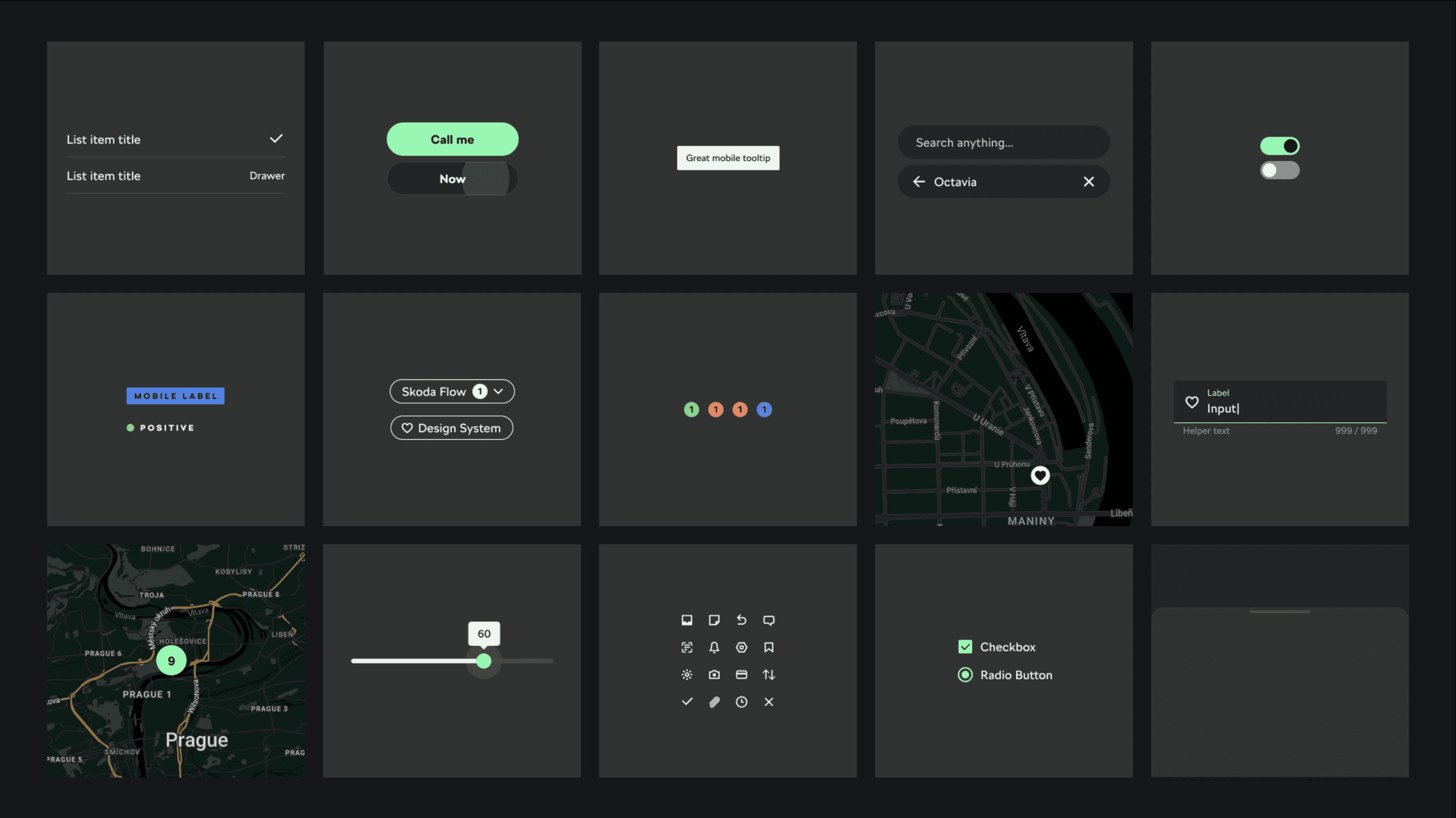
This design system is developed by Skoda, Skoda Flow and is utilised in the most modern Skoda Vehicle and I have adapted it to fit into this project deliverables
Development
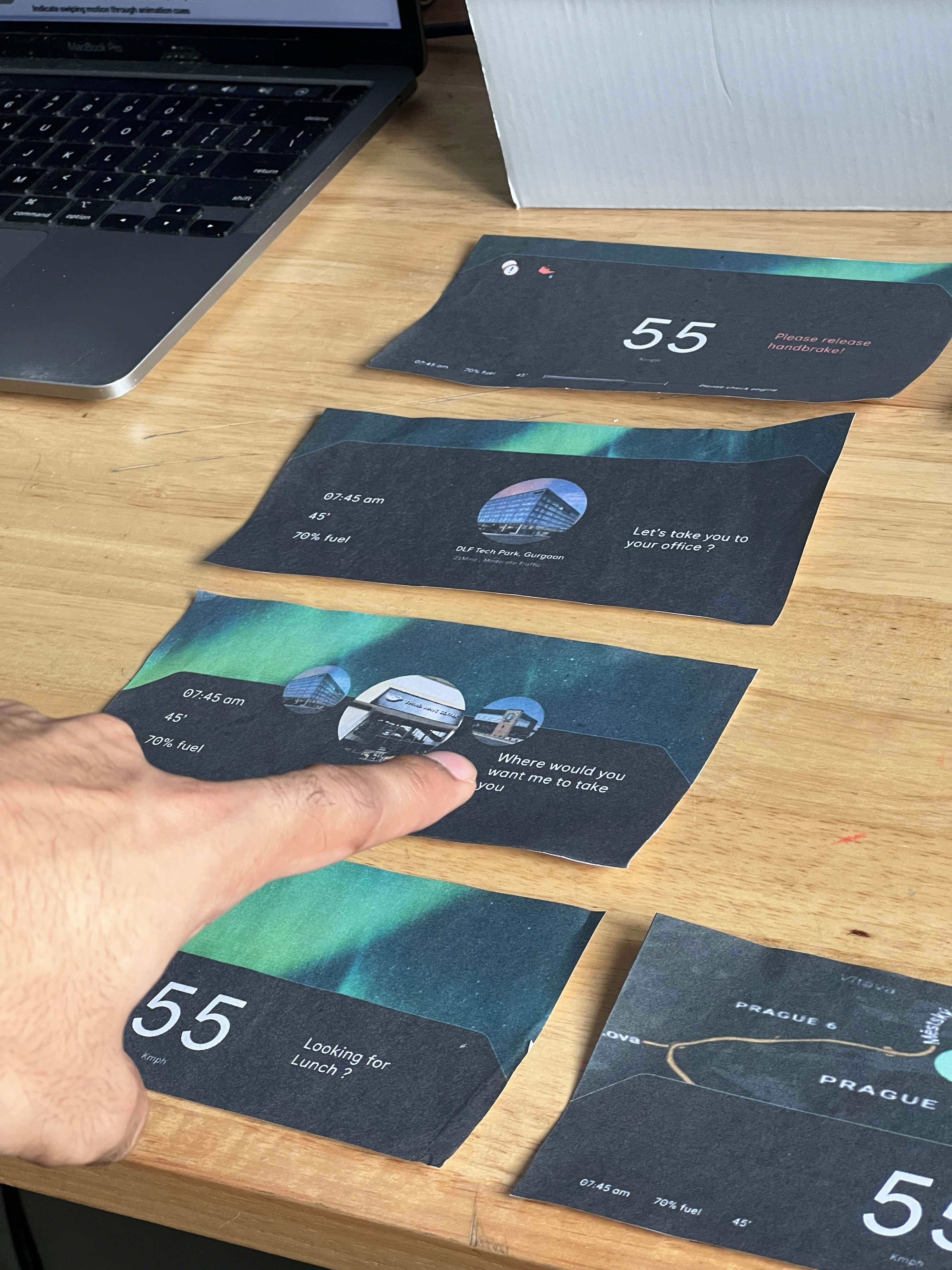
After developing a more finalized version of my UI, I printed out each screen and cut them out to user test. I presented each paper screen to the user and asked them how they would approach the task/interact with it. I gained valuable user insight and from there developed my final concept.
Show where the messages are coming from
Addition of an icon relating to the source of messages will help the driver feel connected
Confusion on how to interact with suggestions
Design Elements to choose like Call to Action (CTA) buttons.
The map on the on the navigation screen is hard to understand
Redesign the map to make it more minimal and easy to understand
Answer/Decline call functionality isn't useful as questions as drivers have to think too much for a simple pickup and drop call
Indicating Icons for call functions
Icons for emergency may not be enough
Adding description of the problem and possible solutions to it.
Temperature control could also be integrated
Addition of easy icons for temp control in the car.
Impact
After Revolutionising the cockpit interactions, the Skoda's Adaptive instrument cluster Display utilises machine learning and Artificial Intelligence to create unique experiences and interfaces that adapt to the user’s needs and wants.